SnoutData
SnoutData is two things: a desktop workbench for every database you already have, and SnoutData Cloud, a hosted backend on Postgres for the apps you have not built yet. Both are driven by the coding agent you already run, and that is the whole idea: where your agents meet your data.
Take either on its own. One account and one plan cover both, and neither needs the other.
On your machine: the workbench
A standalone desktop app for Windows, macOS, and Linux. Connect to relational, document, and vector databases and query them with SQL, a native pipeline, or plain language. Bring data in from files, PDFs, web pages and other databases. Run Claude Code, Codex or opencode inside the app with your databases already connected.
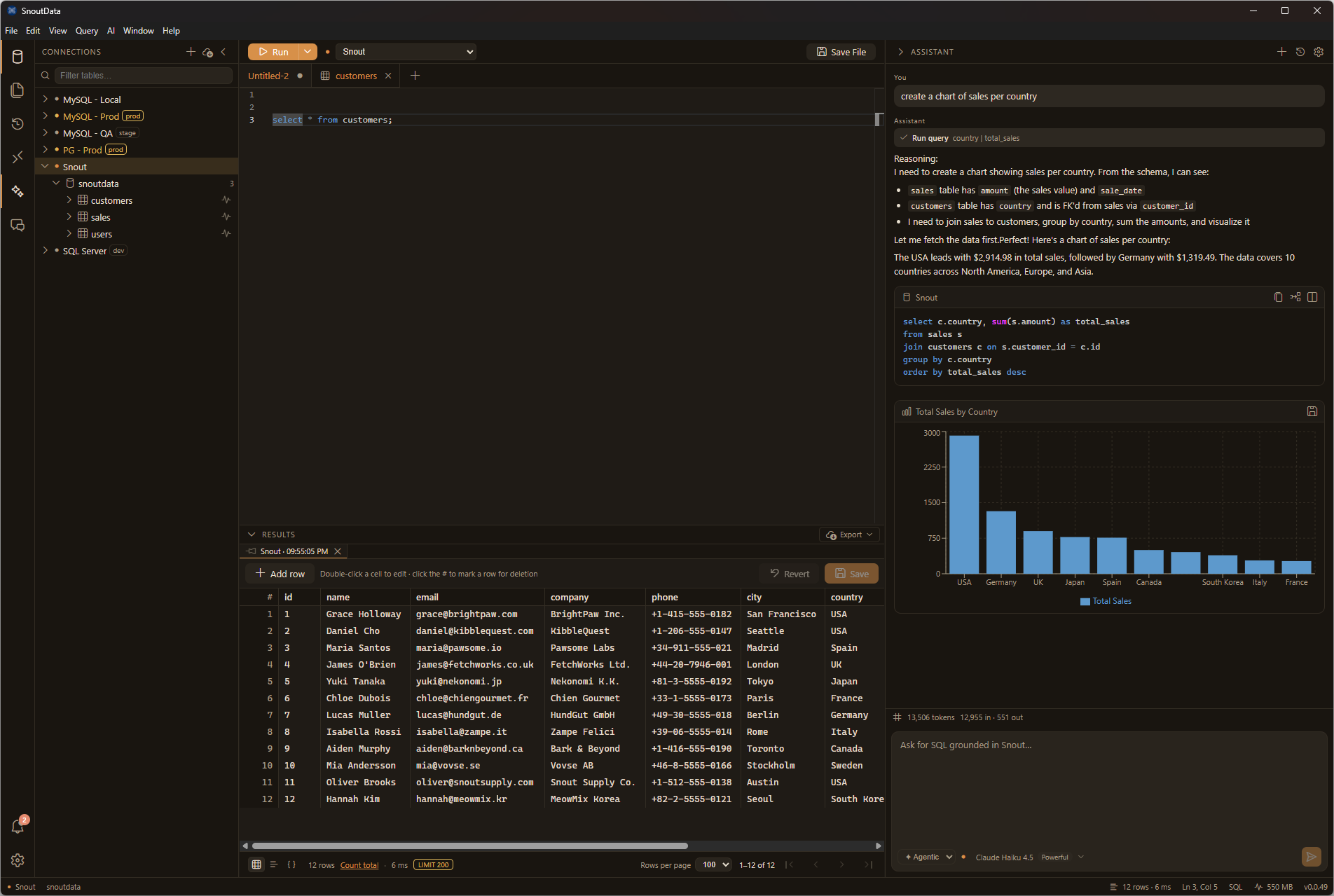
What you can do
- Connect to relational databases (MySQL/Aurora, MariaDB, PostgreSQL, SQL Server, Oracle, IBM Db2, SQLite, DuckDB, Snowflake, Amazon Redshift, SAP HANA, ClickHouse, CockroachDB, YugabyteDB, TimescaleDB, Greenplum, TiDB, OceanBase), document databases (MongoDB), and vector databases (Pinecone). See supported databases.
- Query any database with SQL. SQL is the common language: on MongoDB and Pinecone, SnoutData transcribes your SQL to a native aggregation pipeline or vector query. See querying beyond SQL.
- Or go native. Write a MongoDB aggregation pipeline directly in the editor when you want the full power of the database.
- Write SQL in a multi-tab editor with schema-aware completion and hover, on top of a live index of your tables, columns, fields, and foreign keys.
- Run queries and explore results in a fast data grid with filtering, ordering, and cell editing. On MongoDB you can also edit documents and manage collections and indexes.
- Bring data in from a file, a PDF, a web page or another database, or generate records from a brief, and land them in a table, a collection, a file, a vector index or a fine-tuning set, on a schedule if you want. See data flows.
- Run your own coding agent inside the app, with your databases handed to it and your credentials kept in the keychain. See coding agents.
- Ask the AI assistant for queries in plain language. It is grounded in your connection's schema, so it references real tables and columns (or collections and fields), and proposes SQL or a native pipeline straight into the editor.
- Stay safe in production: connections can be flagged as production, with a guardrail that catches destructive statements before they run.
In the cloud: hosted projects
A project is a backend of your own around a Postgres 17 database, reachable at <ref>.db.snoutdata.com over TLS,
created from a terminal with one command. It stops when nobody is using it and wakes on the next
connection while the client waits, so a project nobody is touching costs nothing to run.
npx snoutdata init
In front of that database is an HTTPS door serving a REST and GraphQL API over your tables, authentication, file storage, realtime subscriptions and your own TypeScript on the edge. It is ordinary HTTP, so it needs no client library at all.
- Install the CLI: a single binary, or straight off npm.
- Getting started: create a project, get a connection string, and connect to it from anything that speaks Postgres.
- The project API: the six paths, your two keys, and what each one costs.
- Snout Functions: your own code on the edge, and the secrets it runs with.
- Local development: the same Postgres on your machine, and TypeScript types from your schema.
- CLI reference: every command, every flag, and the exit codes, for a person or for a script.
- For an agent: one page with everything a model needs to provision a
database without a human present, including the
--jsoncontract andsnoutdata mcp. - Limits, and what is not built: the quotas, and the honest list of what does not exist yet.
SnoutData Cloud is live: an account is all it takes. The snoutdata CLI is published too, as a
single binary or npx snoutdata with nothing to install.
The two halves keep your credentials differently
This is worth reading once, because the two answers are opposite and we would rather say so than average them into a sentence that is true of neither.
On your machine, your connections and credentials stay there, encrypted by your operating system's keychain. The coding agent running in the app never receives them: a local broker hands it capabilities instead, so it can query a database without ever holding the password.
In the cloud, a hosted database is held by its host, and we say so plainly. Your project's password is encrypted with a key we hold, revealable to you whenever you ask, resettable by you, and every change to a project is on an audit log. We do not tell you we cannot read it, because that would not be true.
If credentials that never leave your machine are a requirement rather than a preference, the desktop app is the product for that, and it needs none of the cloud.
Get started
Whichever half you came for:
- Install SnoutData on your computer, then connect to a database and run your first query.
- Or create a hosted database from your terminal, and point anything you like at it.
Already installed? Jump to the AI assistant to see how it grounds on your schema.