Agent access (MCP)
SnoutData can let an external agent, such as Claude Code, query your databases through the app over the Model Context Protocol (MCP). The agent talks to a small local server that SnoutData runs; your connection passwords and keys never leave this computer and never touch the agent or a repo.
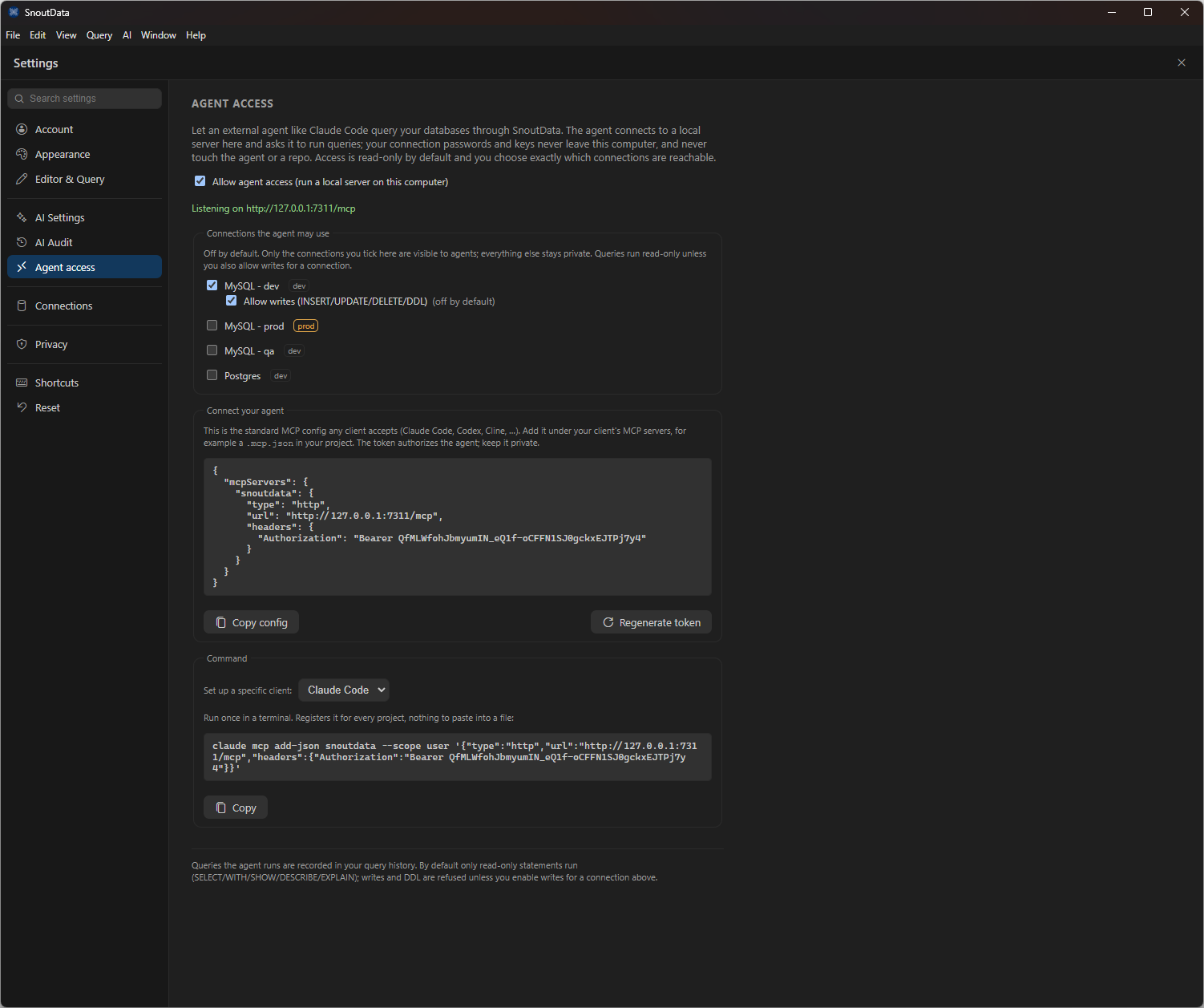
Turn it on
Open Settings, Agent access and enable Allow agent access. SnoutData starts a local
server (for example http://127.0.0.1:7311/mcp) protected by a bearer token.
Choose what the agent can reach
Access is off by default for every connection. Tick only the connections you want an agent to see; everything else stays private. For each ticked connection:
- Queries run read-only by default (
SELECT/WITH/SHOW/DESCRIBE/EXPLAIN). - Writes and DDL are refused unless you also enable Allow writes for that connection.
Connect your agent
The settings panel gives you a standard MCP config block to add to your client (Claude Code, Codex, Cline, and similar), and a one-line command for specific clients, for example:
claude mcp add-json snoutdata --scope user '{"type":"http","url":"http://127.0.0.1:7311/mcp","headers":{"Authorization":"Bearer <your-token>"}}'
The token authorizes the agent; keep it private. Use Regenerate token to revoke the old one.
Auditing
Queries the agent runs are recorded in your query history, the same as queries you run yourself, so there is always a record of what an agent did.