Coding agents
SnoutData can run your own coding agent inside the app, in a panel, in your workspace folder, with your database connections handed to it the moment it starts.
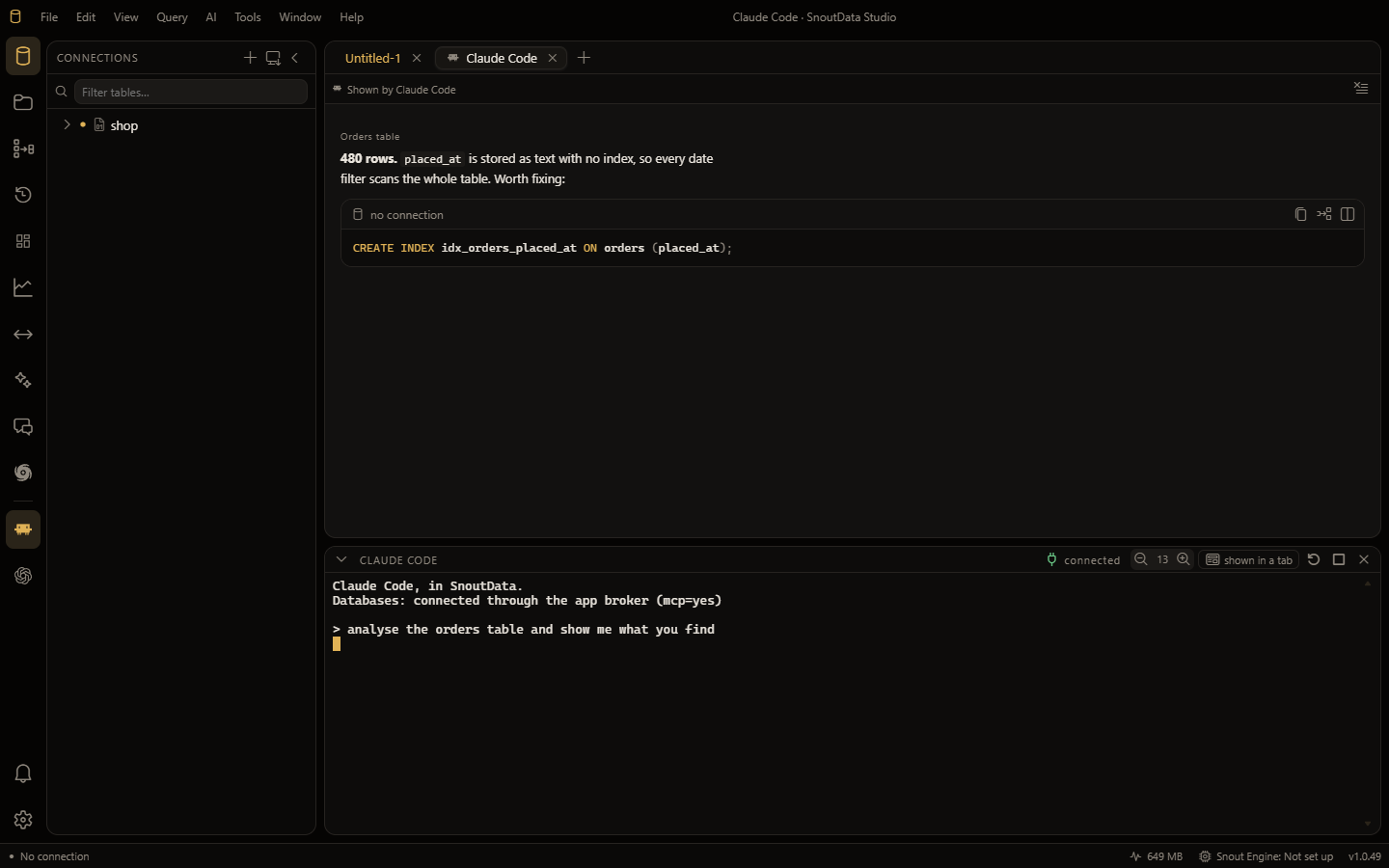
That last part is the point. Normally, giving an agent access to a database means putting a
connection string in a .env file or a repo and hoping it stays there. Here the app is already
connected, and it lends the agent that access without ever handing over the credentials
themselves.
Which agents
| Agent | Command |
|---|---|
| Claude Code | claude |
| Codex | codex |
| opencode | opencode |
An agent gets an icon in the activity bar when it is installed on this computer and you have not switched it off. If you have none of them installed, nothing appears, and nothing nags you about it.
Open one
Press `Ctrl+``` (backtick), click the agent's activity-bar icon, or run Agent Console: Show/Hide from the command palette.
The agent starts in your current workspace folder, so it sees the files you are working on. If the agent is not installed, the panel tells you where to get it rather than failing silently.
Closing the panel does not kill the agent
Closing the console detaches the session instead of ending it. A long job keeps running while the panel is away, and reopening the panel reattaches to it.
What it can do
Two separate things, and they are worth reading in order:
- What the agent can do: querying your databases, driving the app, and drawing real interface into it.
- Approvals and audit: how you stay in control of everything it changes.
If you would rather keep your agent where it already lives, outside SnoutData, use agent access over MCP instead. It is the same broker and the same rules.