What the agent can do
SnoutData publishes what it can do as tools, and the agent in the console picks them up automatically. The result is that the agent operates the product rather than describing it to you.
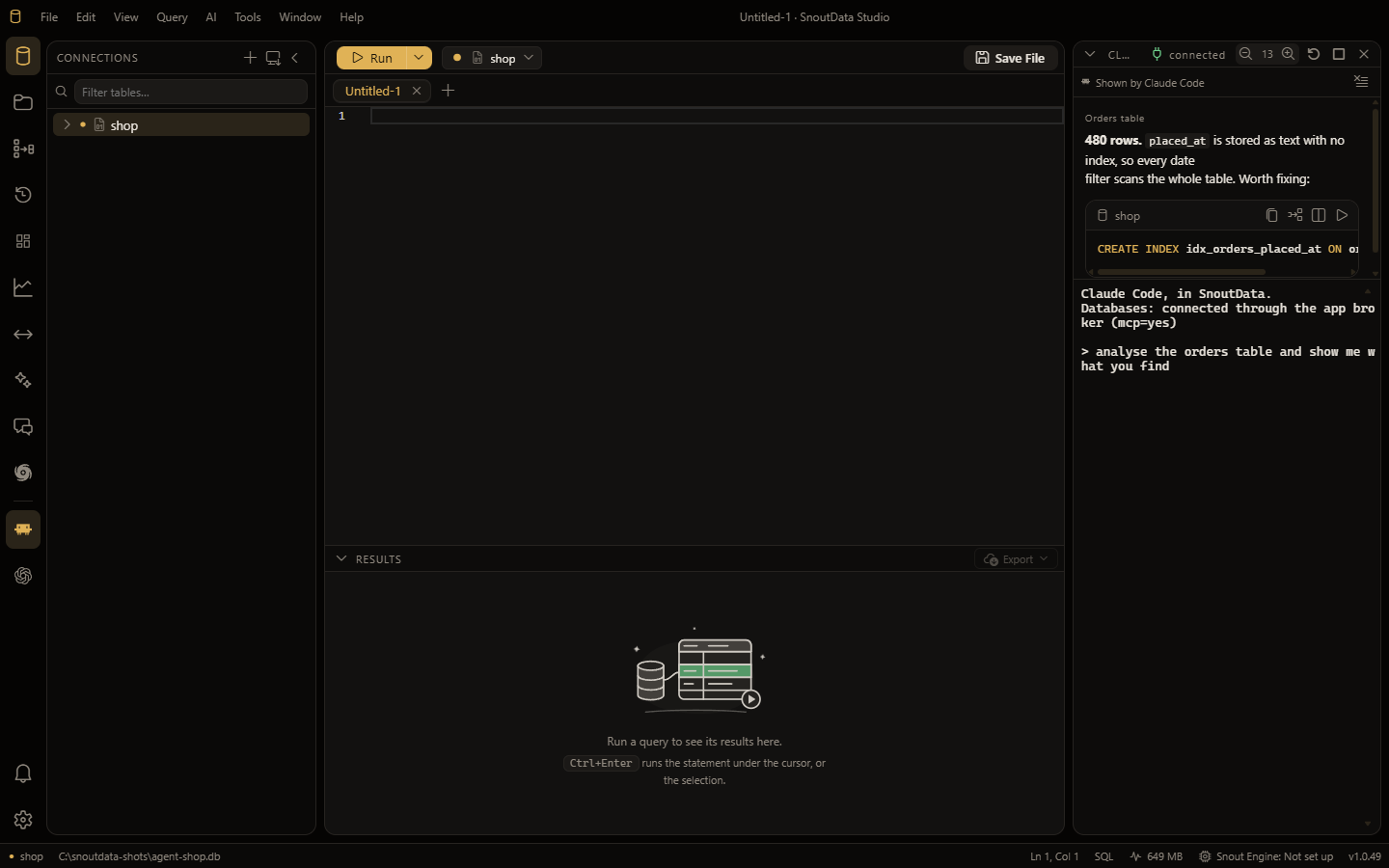
It queries your databases
Over the connections you allow, read-only by default. Writes and DDL require you to allow them for that connection.
It drives the app
The tools run in the live interface, so the window changes while the agent works. It can:
- open and switch editor tabs, and put SQL in the editor
- read the app's current state (which connection is active, what is open)
- change settings
- read recent logs
- post notifications
- create and populate a monitor
Because these run in the real UI, "make me a monitor of the slowest queries" opens the Monitors view and creates the widgets in front of you, rather than printing SQL for you to paste somewhere.
It draws real interface
Anything the agent has no specific tool for, it can still show you. A message it sends to the app comes back rendered:
- markdown as formatted prose
- a fenced SQL block as a card with Copy, Insert and Run buttons
- a chart as a chart
This is why the console has no message box of its own. The terminal is already one, so the panel above it is for output that deserves to be more than monospace text.
What it cannot do
The agent works through the same capability list the in-app assistant uses. Surfaces that have not been given a capability yet are not reachable, and the agent will tell you so rather than pretending. If something you expect is missing, it is on the list to add.