ClickHouse
SnoutData connects to ClickHouse over its HTTP interface and knows what a ClickHouse user actually deals with: parts and merges, the sort key, what a query read, mutations, replicas, and ClickHouse Cloud's routing of every request to any replica. It works with self-managed servers, replicated clusters and ClickHouse Cloud.
What is built for ClickHouse rather than adapted to it
Most SQL clients treat ClickHouse as one more JDBC URL. These are the places where SnoutData does not, each of them either ClickHouse's own idea shown as itself or a decision taken because of how ClickHouse actually works.
- The editor learns from your server, not from us. On connect it reads that server's own
catalog: its functions with their real signatures and ClickHouse's own descriptions, aggregate
combinators (
sumIf,sumState), setting names afterSETTINGS, formats afterFORMAT, engines afterENGINE =, types and table functions. Completion therefore matches the version you run, including functions added after this app was built. - Completion reaches inside a column: a
Tuple's fields, aMap's keys, the paths aJSONcolumn holds. AnArray,Map,Tuple,NestedorJSONvalue opens as a tree in the results grid, each node carrying the type the server declared for it. - Explain is all five of ClickHouse's answers, with the line that matters lifted above the plan: how many granules and parts each index left to read.
- A table's Storage tab is what the table physically is: the engine clauses as the server wrote them, the partitions with their parts and sizes, the projections and the skip indexes.
- The table designer speaks MergeTree: the engine family explained by what it does to a row,
partitioning, TTL, a codec per column, and
ON CLUSTERwith aReplicatedengine where the server has replicas. - The advice comes from ClickHouse's own plan: a read that skipped no granule, a projection
used,
FINALon a large table. A query that hit a memory limit is treated as that, not as wrong SQL. - A mutation is treated as what it is.
ALTER TABLE ... DELETEis a background rewrite of every part holding a matching row, and on a production connection the confirmation says so before it runs. - Data goes in and out the way ClickHouse wants it to: a file is the body of one
INSERT ... FORMAT, a compressed file is expanded by the server, and an export is written by the server rather than serialized out of the grid. - Its table functions are a form, with Describe before a row is read, a preview, and a
one-click
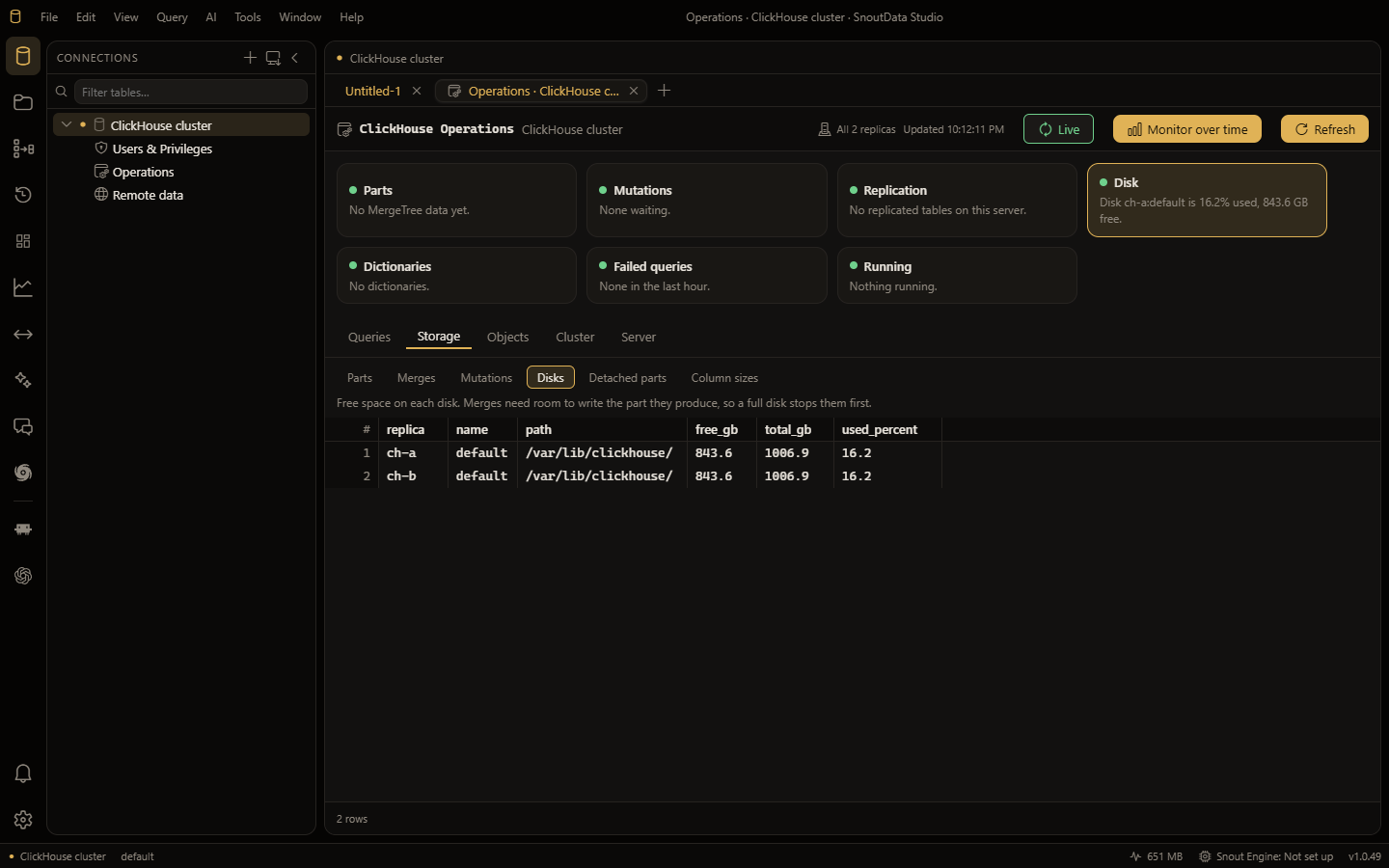
MergeTreetable. - Operations is the server's own system tables, read across every replica, including the three places a cluster problem really lives: the replication queue, the Distributed inserts still waiting to be sent, and the Keeper tree. The server's log is there too, opened on the query that failed.
- Access control is complete in ClickHouse's terms: a partial revoke shown as the deny it is,
an account defined in
users.xmlsaying it cannot be changed with SQL, no invented schema level, and row policies, quotas and settings profiles beside the users. - The grid is read-only, deliberately. A MergeTree sort key does not name one row, so there is no honest way to say which row an edit belongs to.
Connect
- Open the connections sidebar and choose New connection.
- Pick the ClickHouse driver.
- Enter the host, the port (8123, or 8443 with SSL, as on ClickHouse Cloud), a username and a password. A database is optional.
- Click Test, then Save.
SSL and SSH tunnels work as they do for every other driver. On ClickHouse Cloud, tick SSL,
use port 8443, and leave the certificate setting alone: a Cloud endpoint has an ordinary
public certificate and is verified against the roots your system already trusts. Read-only users (readonly = 1,
the usual production analyst account) can connect: SnoutData never sends a setting such a user
would be refused.
Where to go next
| Page | What it covers |
|---|---|
| Explore the database | Tables and their engine line, what a materialized view is wired to, dictionaries |
| Write and run queries | Completion from your server's own catalog, dictGet, query parameters, FORMAT, live progress |
| Explain and query advice | The five EXPLAIN variants, granules skipped, ClickHouse-aware advice, Query Performance |
| How a table is stored | The Storage tab, partitions and parts, the table designer's Engine section, schema sync |
| Operations | Health cards, twenty system-table views, the cluster queues, Keeper, the server log, Monitor over time |
| Load and export | A file straight into a table, a result straight out to one |
| Remote data | Query a bucket, a URL, Postgres or another server, and turn it into a table |
| Users and privileges | Users, roles, grants, row policies, quotas, settings profiles, and the production guardrail |
Not supported yet
Starting a BACKUP or a RESTORE (the list of them is read; running one is not offered),
choosing which cluster the multi-node views read (they use default, which is ClickHouse Cloud's
name for it and the usual name), moving a whole database into ClickHouse, and the native TCP
protocol on 9000/9440 — everything here goes over the HTTP interface, which has not yet been a
limit.
The grid is read-only on purpose: a MergeTree sort key is not unique, so there is no safe way to say which row an edit belongs to. Adding rows is a different question and is answered on the same tab, by loading a file.