Data flows
A flow moves data from somewhere into somewhere useful. You point it at a source, review the shape SnoutData proposes, choose a destination, and run it. The flow is saved, so you can run it again, put it on a schedule, and see what every run did.
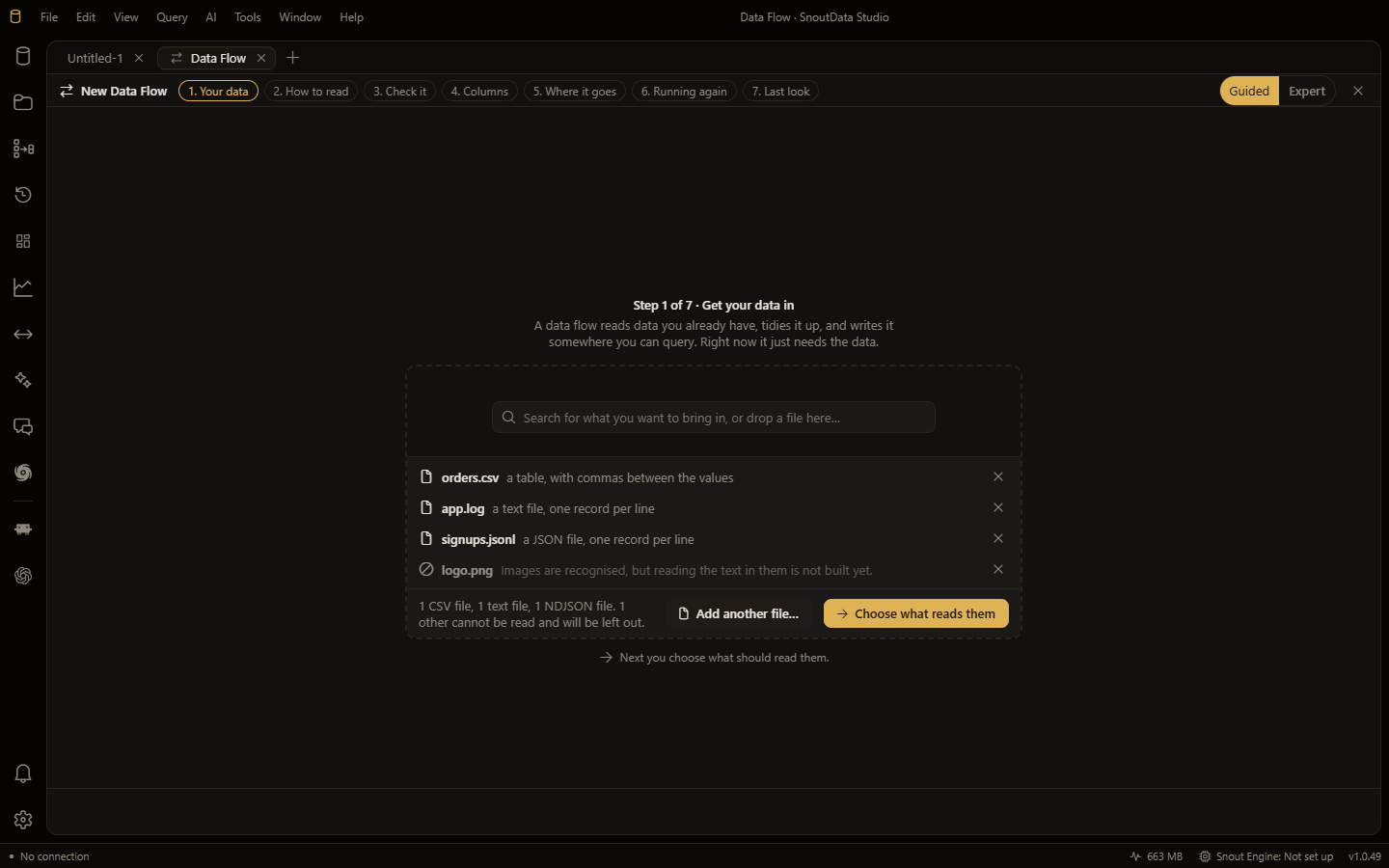
Flows are how data gets into your databases. The rest of SnoutData is about working with data you already have; this is the way in.
:::tip Watch it instead
Turn mixed files into organised, queryable data is a 2 minute 31 walkthrough of everything on this page: dropping four files of three different kinds, choosing what reads them, the proposed columns, the exact statements, and the table existing afterwards. It is a recording of the real app, with subtitles and chapters.
:::
The shape of a flow
Every flow is the same three parts:
- A source. A file, a PDF, a web page, another database, or a model asked to generate records. See sources.
- Transforms. Typed columns, renames, filters, deduplication and redaction, all optional. See transforms.
- A destination. A SQL table, a MongoDB collection, a file, a fine-tuning set or a vector index. See destinations.
Start one
Drag a file onto the SnoutData window, or use File, New Data Flow. The wizard opens with whatever you dropped already parsed, typed and shaped, so the first thing you see is a proposal to review rather than an empty form.
Nothing is read until you ask for it. You can drop several files, of different kinds, in as
many goes as you like, and then read them all in one flow: the columns are unioned and every
record carries a _source telling you which input it came from.
Nothing happens until you say so
Before a flow runs you see the columns it proposes, the reasons for them, the exact statements it will execute and where the data will go. A flow does not act on an assumption you were not shown.
Where flows are saved
Flows live on this computer, with your other SnoutData data. A flow is a saved definition, not a script you have to keep somewhere: you can reopen it, edit it, run it by hand or schedule it.