How a file is read
Reading a spreadsheet and reading a contract are not the same job, so SnoutData does not decide for you. Right after you add a file, you choose how it gets read, and each option tells you where your data goes before you pick it.
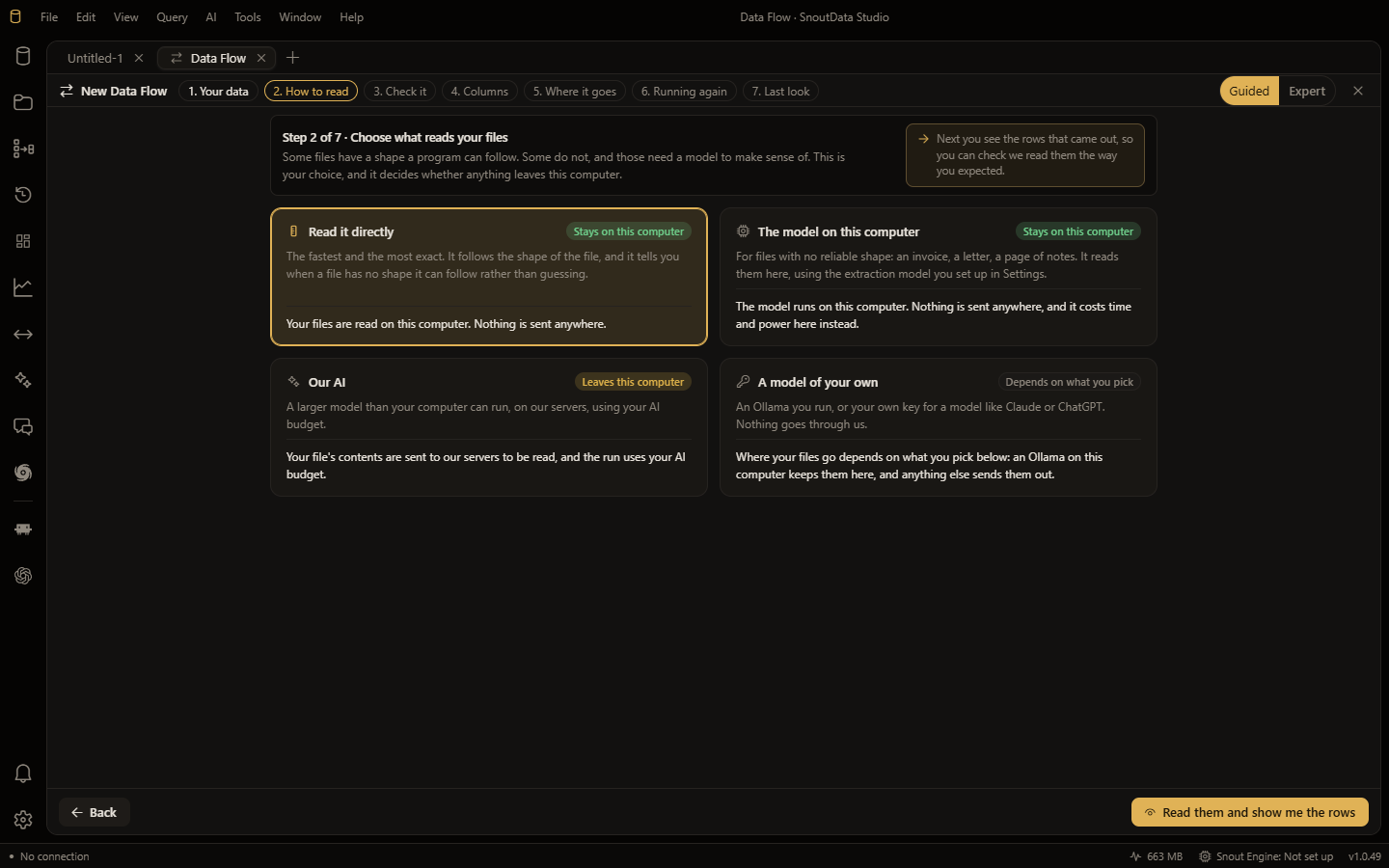
That is a fact about the route, not a reassurance: the option you choose determines which machines see the content.
The four options
They are listed in escalation order. Start at the top and move down only if you need to.
1. The parsers, on this computer
The default. Structured files (CSV, TSV, JSON, NDJSON, logs) are read locally by code.
Where the data goes: nowhere. It stays on this computer. No model is involved at any point. This is the fastest option and it costs nothing.
2. A model on this computer
For documents the parsers cannot handle, such as a PDF of prose. A local model reads them on your own hardware.
Where the data goes: nowhere. It stays on this computer. The model is downloaded on demand the first time you choose this option.
3. Our AI
SnoutData's managed gateway, metered against your plan. Use this when the local model is not good enough for a document and you would rather not run one yourself.
Where the data goes: the content reaches a model through our gateway, so that it can be read.
4. A model of your own
Your own API key and your own provider.
Where the data goes: straight from this computer to that provider. It does not pass through SnoutData's servers, and the billing relationship is between you and them.
A file is not handed over whole
When a model does read something, it is not given the entire file.
A table has a regular shape, so SnoutData samples it: the header, the first rows and the last rows. The model is asked how to read this table, and then the parser reads every row that way. A one-gigabyte export costs a single call, and only a few dozen rows are ever exposed.
A document has no such regularity, so it is read in windows, in as many passes as it takes. There is no length at which a file is refused for being too long.
When a read fails
A failure is reported, and the flow does not quietly fall back to a different reader. Two different things are kept apart:
- The reader could not run at all (for example, the local model is not installed). The run stops.
- The reader could not read this particular file. That file is named and skipped, and the run continues with the others.