SnoutData Studio
A desktop workbench for every database you already have, for Windows, macOS and Linux. Connect to relational, document and vector databases and query them with SQL, a native pipeline, or plain language. Bring data in from files, PDFs, web pages and other databases. Run Claude Code, Codex or opencode inside the app with your databases already connected. Free to download, AI included.
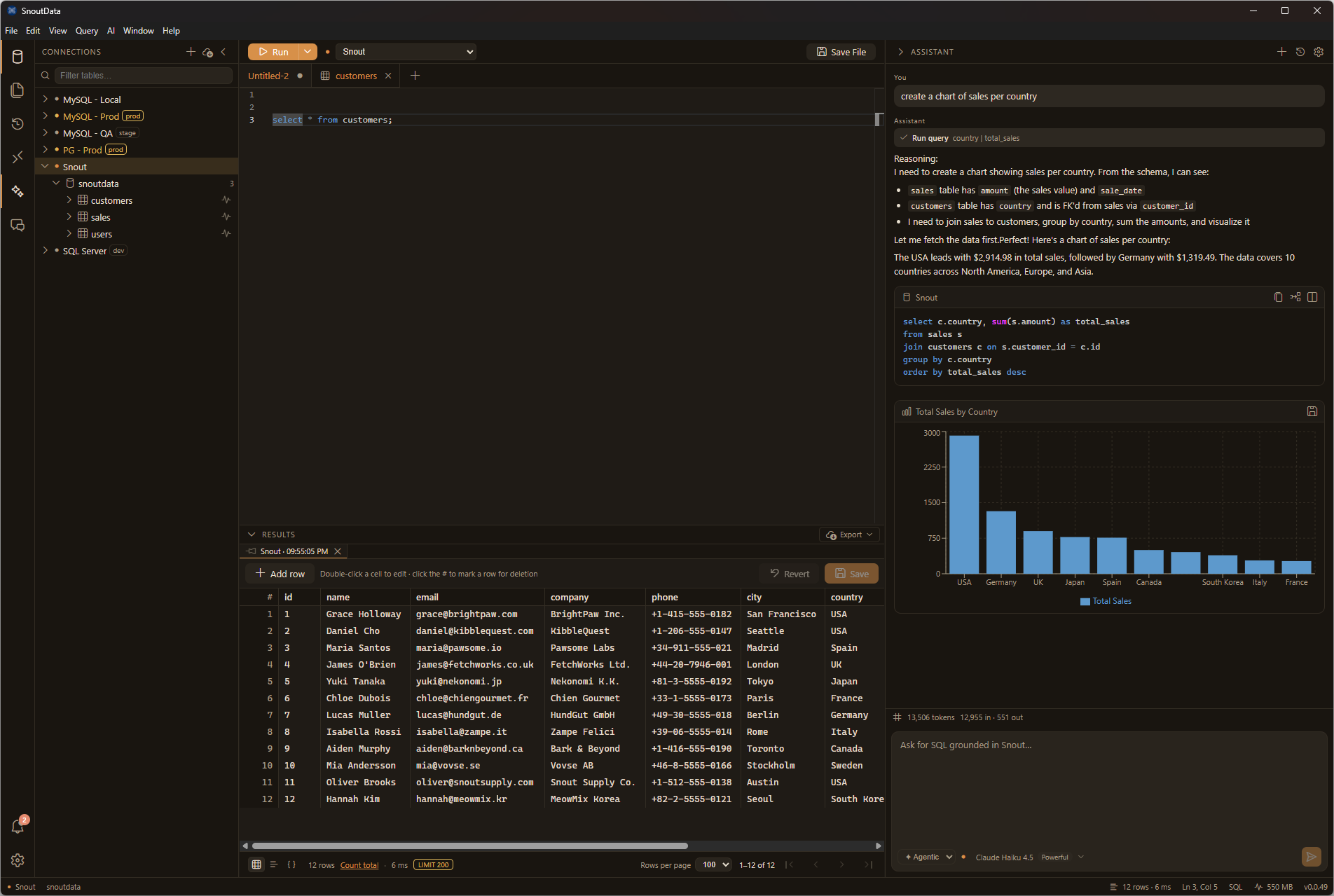
Find your way
What you can do
- Connect to relational databases (MySQL/Aurora, MariaDB, PostgreSQL, SQL Server, Oracle, IBM Db2, SQLite, DuckDB, Snowflake, Amazon Redshift, SAP HANA, ClickHouse, CockroachDB, YugabyteDB, TimescaleDB, Greenplum, TiDB, OceanBase), document databases (MongoDB), and vector databases (Pinecone). See supported databases.
- Query any database with SQL. On MongoDB and Pinecone, Studio compiles your SQL to a native aggregation pipeline or vector query on your machine, with no model call. See querying beyond SQL.
- Or go native. Write a MongoDB aggregation pipeline directly in the editor.
- Write SQL in a multi-tab editor with schema-aware completion and hover, on top of a live index of your tables, columns, fields, and foreign keys.
- Run queries and explore results in a fast data grid with filtering, ordering, and cell editing.
- Bring data in from a file, a PDF, a web page or another database, and land it in a table, a collection, a file, a vector index or a fine-tuning set, on a schedule if you want. See data flows.
- Run your own coding agent inside the app, with your databases handed to it and your credentials kept in the keychain. See coding agents.
- Ask the AI assistant for queries in plain language, grounded in your connection's schema.
- Stay safe in production: flag a connection as production, and a guardrail catches destructive statements before they run.
Your credentials stay on your machine
Your connections and credentials stay on your computer, encrypted by your operating system's keychain. The coding agent running in the app never receives them: a local broker hands it capabilities instead, so it can query a database without ever holding the password.
SnoutData Cloud, the hosted service, keeps credentials differently, and says so on its security page. Studio needs none of the cloud.
What changed
Every release is in the Studio changelog, newest first, and as an Atom feed.